Maintenance & inspections · iPhone
Your maintenance logbook, in your pocket
Add each piece of equipment with a photo, stick on a QR label printed on your own printer, and Revitag reminds you of every check the regulations call for. Inspect in two taps and export a signed PDF report.

- Gyms
- Residential buildings
- Hotels
- Offices
- Restaurants
- Schools
- Workshops
- Construction & OHS

How it works
Three steps, then stop worrying about dates
No spreadsheets, no binders in the back office, no handwritten stickers nobody updates.
Take a photo
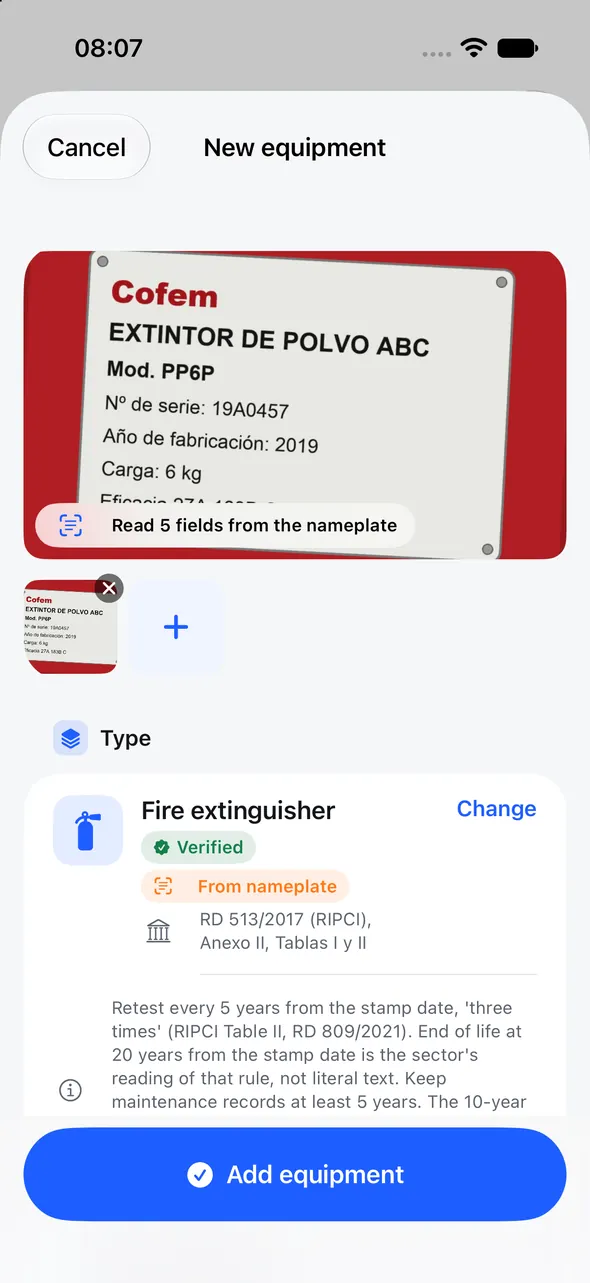
Revitag reads the equipment nameplate (brand, model, serial number, year and capacity) and suggests the template and the checks it needs.
Stick on its QR
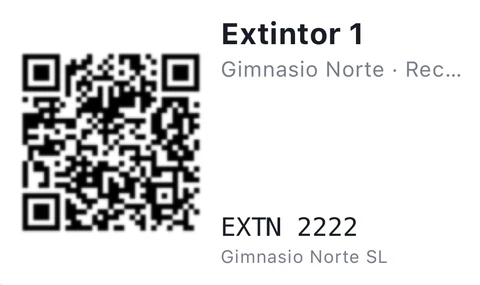
Print labels on Avery sheets with any printer. Anyone on your team can scan them with their phone camera.
Check it and prove it
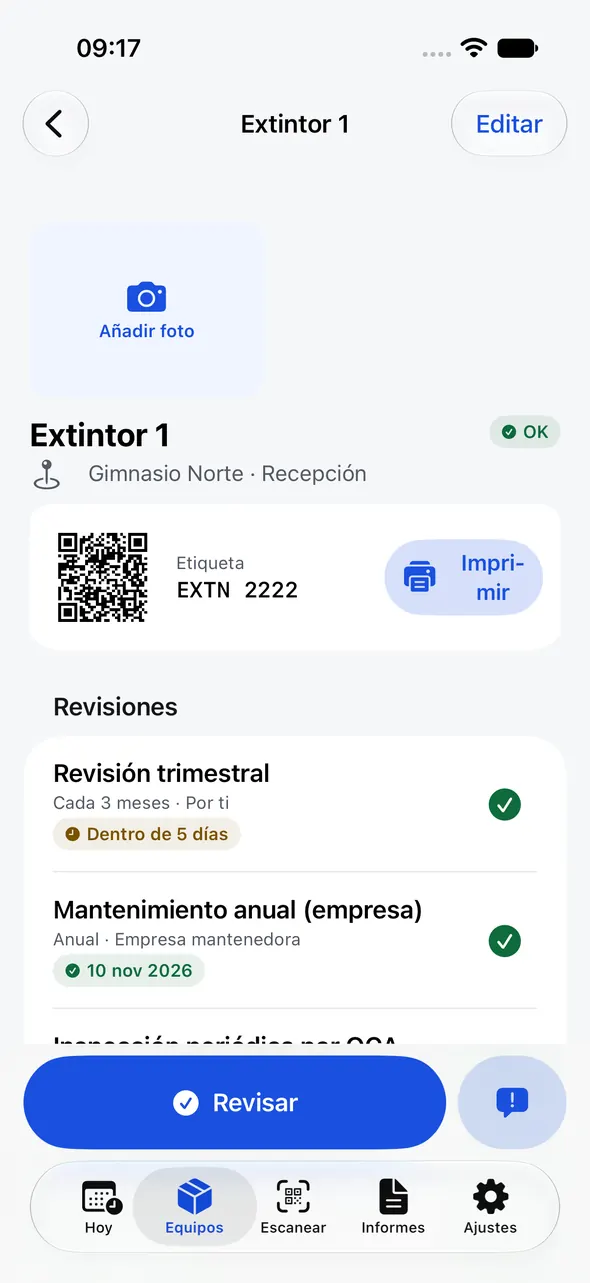
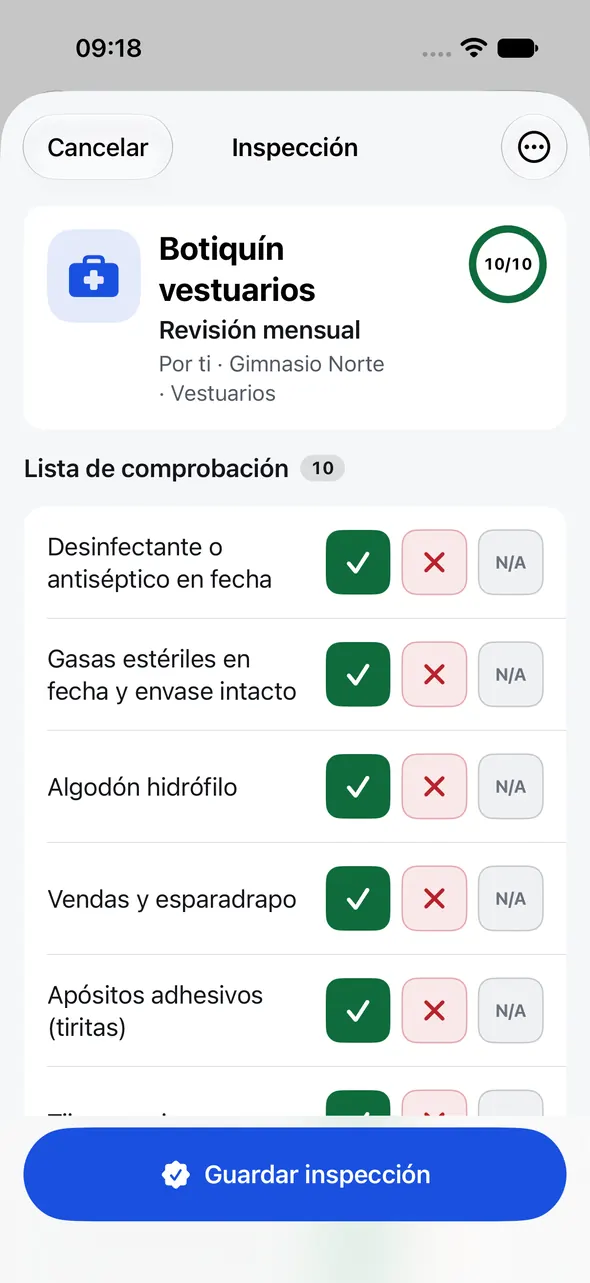
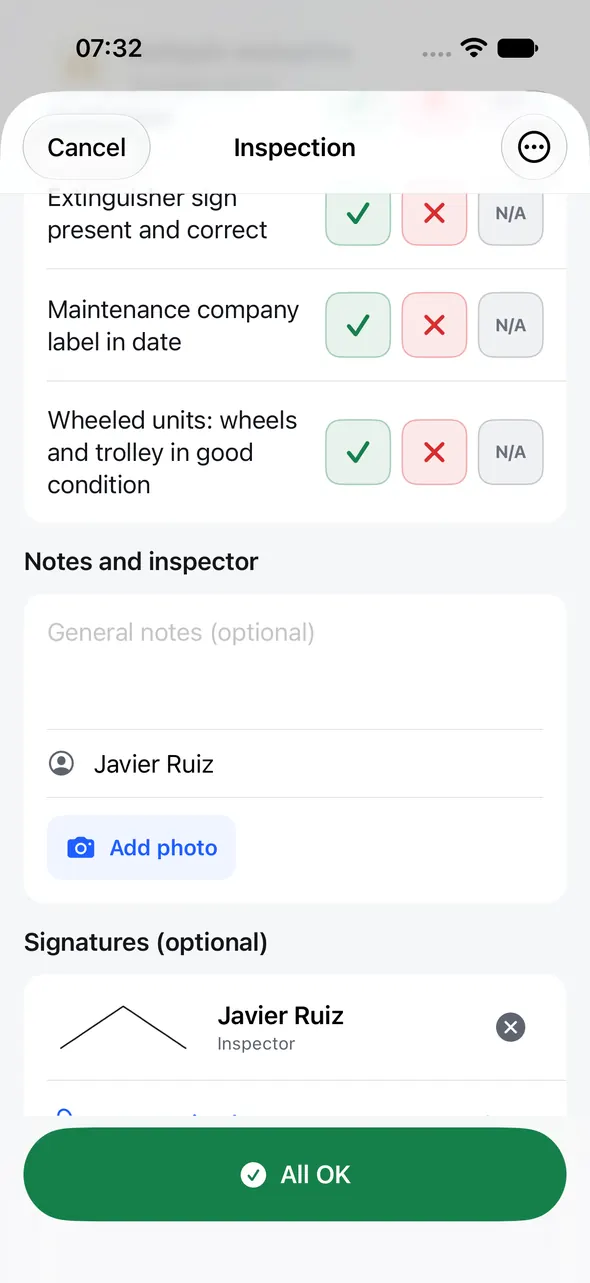
Revitag reminds you before each check is due. Scan, tap “All OK”, sign, and the PDF report is ready for the inspector or the insurer.
Features
What you actually need to keep your checks up to date
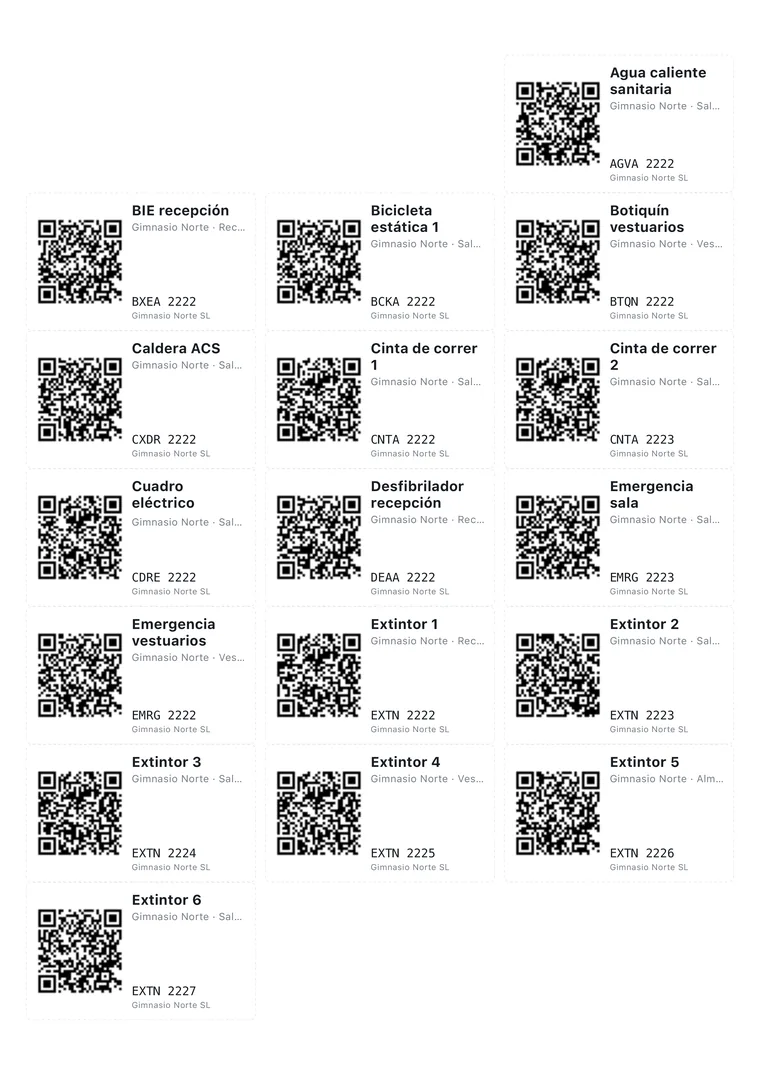
QR labels on the printer you already own
Revitag creates a PDF sized exactly for the most common label sheets and for label-roll printers. If a sheet is half used, it skips the used labels. Nothing to buy from us.
- A4: Avery L7160, L7163, L7651 and L7165 (Apli 1273, 1275, 1284 and 1278)
- US Letter: Avery 5160 and 5163
- 62 mm, 54 × 25 mm or 50 mm rolls for Brother or Dymo label printers
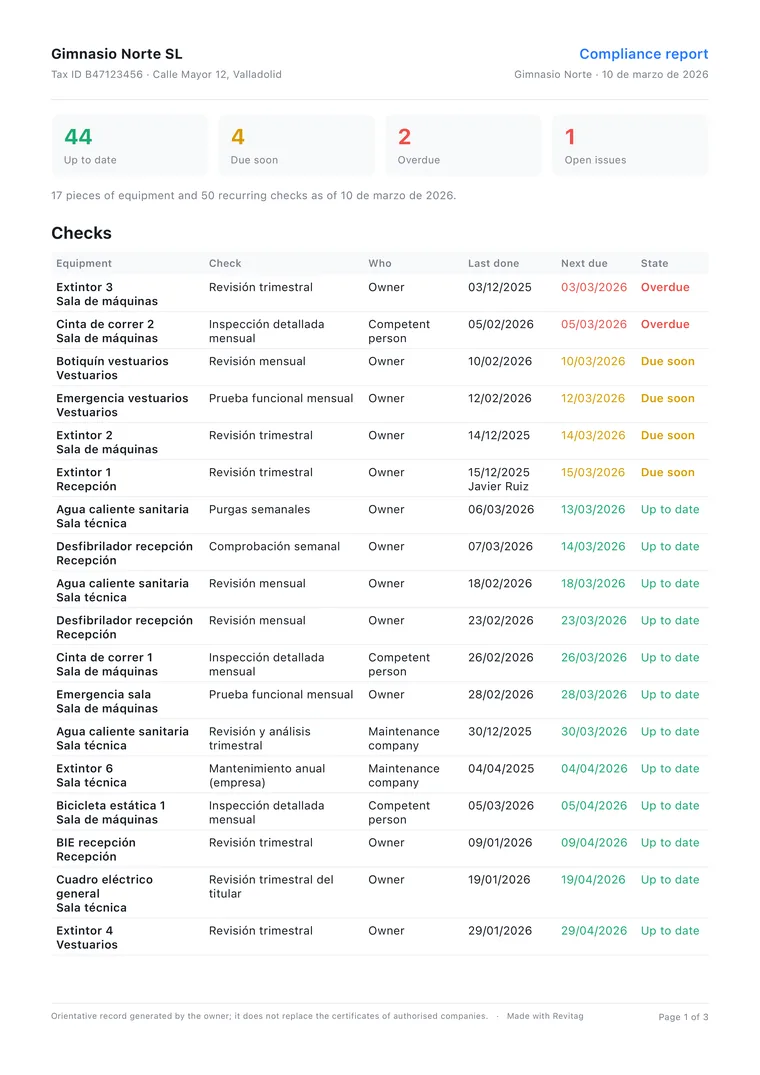
Signed PDF reports, ready to show
Per inspection, per item or for a whole site: what’s up to date, what’s due soon, what’s overdue and which issues are still open. With photos, the technician’s and manager’s signatures, date and a SHA-256 fingerprint of the content.
- For the inspector, the insurer, the building board or your client
- With your logo on Pro
- You can always export the PDF, on the free plan too
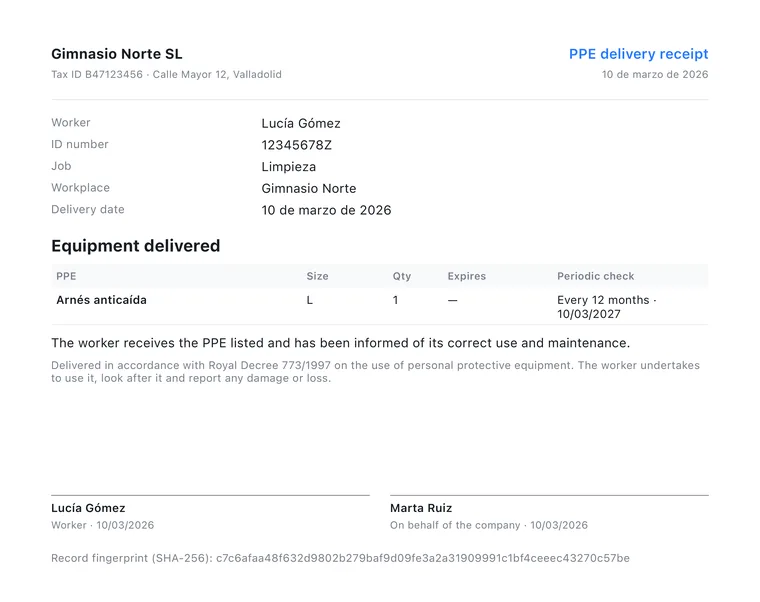
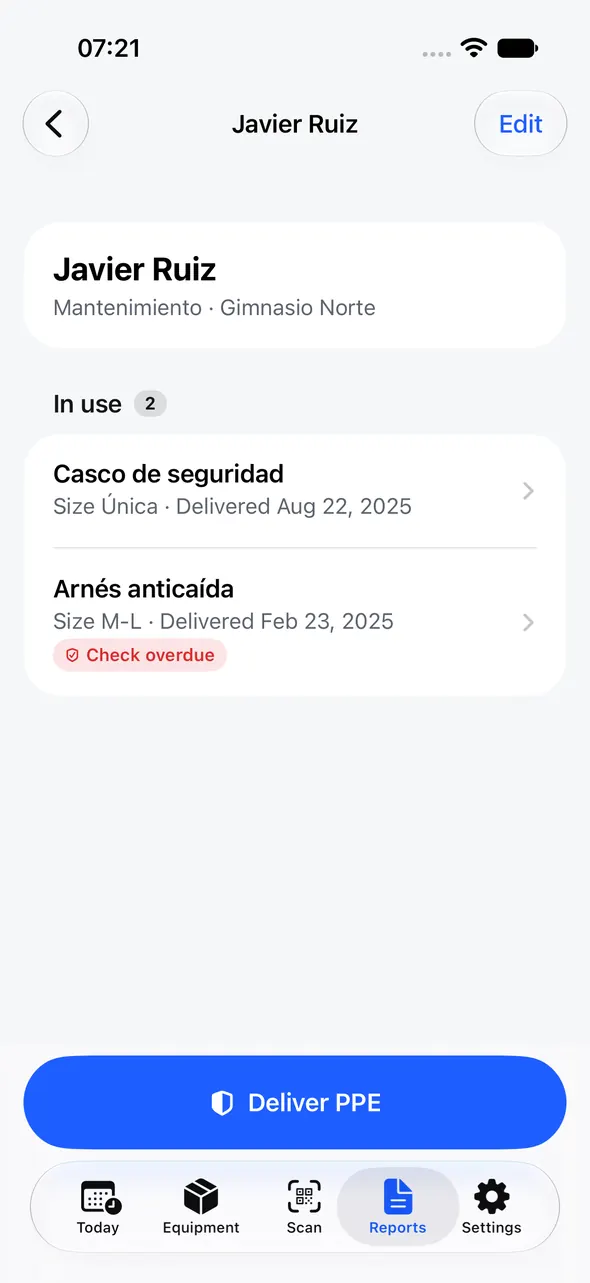
PPE handovers signed by the worker
Record which PPE you hand over, to whom, in what size and until when it’s valid. The worker signs on screen and you get a PDF receipt. Revitag also reminds you of periodic checks, such as the yearly harness inspection.
Reads the nameplate
Brand, model, serial number, year and capacity fill themselves in. Recognition runs on your iPhone.
Checks in two taps
Scan and tap “All OK”. Something wrong? Mark the item, add photos and an issue is opened. On a round, scan one item after another.
Regulations built in
More than 140 templates for Spain, France, Italy, Germany, the UK and the US, each with its frequency, checklist and legal reference. All editable.
Offline, no account, private
Open it and start. Works in a basement with no signal. Your data stays on your iPhone and in your iCloud; we have no servers.
Widgets & Siri
Upcoming checks on your Home Screen. “Scan equipment” and “Upcoming checks” from Siri and Shortcuts.
Bring your spreadsheet
Import your inventory from CSV or Excel and export everything whenever you like. Your data is never locked in.
Regulations
Templates for six countries, each with its source
Add a fire extinguisher and Revitag already knows which checks it needs, who does them and how often. And it shows you where each frequency comes from.
Spain
- RD 513/2017 (RIPCI)
- RD 487/2022 · legionela
- RD 355/2024 · ascensores
France
- Code du travail R4227-39
- ERP MS 73
- NF S 61-919
Italy
- DM 1 settembre 2021
- D.Lgs. 81/2008
- DPR 462/2001
Germany
- ASR A2.2
- DGUV Vorschrift 3
- BetrSichV §14
United Kingdom
- Fire Safety Order 2005
- BS 5306-3
- LOLER 1998
United States
- OSHA 29 CFR 1910.157
- NFPA 10
- ANSI/ISEA Z358.1
These are guideline reminders: always confirm frequencies with your maintenance contractor and your local regulations.
The app
Clear, fast and made to use on your feet


Comparison
Built for a small business, not a large enterprise
| Typical maintenance software | Revitag | |
|---|---|---|
| Price | $20–75 per user per month | €2.99/month or €19.99/year for the whole business |
| Account | Sign-up required, often with a sales call | No account: open it and start |
| No signal | Needs a connection, or offline is a paid extra | Everything works offline |
| Templates | Generic | Official regulations for 6 countries, with sources |
| Labels | Sold by the vendor | Any printer, standard Avery sheets |
| Your data | On the vendor’s servers | On your iPhone and your iCloud |
| Renewal | Price increases at renewal | If you already pay, your price never goes up |
Indicative ranges from public per-user pricing of maintenance and inspection tools in 2026.
Pricing
One price for the whole business. No per-user pricing.
Start free. Upgrade to Pro when you have more than one site or more than 25 items.
Free
€0forever
- 1 site and up to 25 items
- All templates and reminders
- QR labels, scanner and checks
- PDF reports (with a small “Made with Revitag” footer)
- iCloud sync and widgets
Pro
€2.99per month
or €19.99 a year with a 7-day free trial · or €49.99 once
- Unlimited sites and items
- Reports with your logo, no footer
- PPE handovers for all your workers
- Unlimited CSV/Excel import
- You support an independent developer
Our promise: if you already pay, your price never goes up. App Store subscription you can cancel in two taps from Settings. Prices in euros; the App Store shows the price for your country.
FAQ
Frequently asked questions
Does Revitag replace my maintenance contractor?
No. Revitag helps you never miss a check and keeps a record of what was done, but checks the law reserves for licensed companies or inspection bodies are still done by them. Frequencies are guidelines and always editable.
Do I need an account or a connection?
No. Open the app and start. Everything works offline and, if you want, syncs between your iPhone and iPad through your iCloud.
Which labels do I need to buy?
The ones any stationery shop sells: Avery L7160, L7163, L7651 or L7165 A4 sheets (or Apli 1273, 1275, 1284 and 1278), Avery 5160 and 5163 in US Letter, or rolls for Brother or Dymo label printers. For outdoor equipment, polyester labels last longer.
What does someone see if they scan a label without the app?
A neutral page that says the equipment is managed with Revitag and shows the code. None of your data is published: the equipment page only opens on your devices.
Can several people use it?
Today Revitag syncs between your own devices through iCloud, and anyone can scan the labels. Sharing a site with other people is planned for a future version.
How valid are the signatures?
They are simple electronic signatures: the PDF includes the name, date, time and a SHA-256 fingerprint of the content to show it hasn’t been altered. It’s the owner’s record; it doesn’t replace certificates from licensed companies.
What happens if I stop paying for Pro?
Your data stays and you can still view and export it. The free plan limits simply apply again to adding new sites and items.
Does it work on iPad?
Yes. One purchase covers iPhone and iPad, and your data syncs between them through your iCloud.
Start today with the extinguisher by the door
Five minutes to add your first items and print their labels. Free.